

Alternative Ways to Check AISSEE ↗ 2026 Counselling Status When Portal Crashes

Mrs. Kapoor called me at 11 PM. Panicked.
"Sharma ji, AISSEE counseling portal is not opening. I've been trying since morning. Just blank screen. Sometimes it loads halfway then crashes. My son's allotment status was supposed to be updated today. I can't see anything!"
"Mrs. Kapoor, how many times have you refreshed?"
"Maybe 200 times. Not exaggerating. I've been sitting in front of laptop since 8 AM."
"Stop refreshing. You're making it worse. Let me tell you what actually works when the portal goes down."
"There are other ways to check?!"
"Yes. Multiple ways. Most parents don't know about them. Let me explain."
This happens EVERY year. Without fail. The AISSEE e-counseling portal crashes on critical dates — result day, allotment day, choice filling deadline day. Lakhs of parents hitting the same server simultaneously. Server can't handle it. Goes down for hours. Sometimes entire day.
And parents sit there refreshing endlessly. Panicking. Thinking their child's admission is lost.
It's not lost. But you need to know the alternative routes.
Why The Portal Crashes — Understanding The Problem Let me give you the technical reality in simple terms.
NTA's AISSEE portal is designed for maybe 50,000 simultaneous users. On result day? 5-6 lakh parents trying to access it at the same time. That's 10x the capacity.
Result: Server overload. Pages don't load. Login fails. Dashboard shows blank. Sometimes you get logged in but data doesn't appear. Sometimes it shows previous day's status.
This isn't a bug. It's a capacity problem. Same thing happens with JEE results, NEET results, UPSC ↗ results. Every government exam portal in India faces this.
The difference? JEE and NEET students know workarounds. AISSEE parents — many first-time parents dealing with competitive exams — don't know alternatives exist.
Understanding the complete admission timeline and how merit lists work helps you know WHEN the portal will be under maximum stress so you can plan accordingly.
Method 1 — Try Different Browsers and Devices Sounds basic. But 90% of parents don't try this.
If portal isn't loading on Chrome on your laptop:
Try Firefox. Different browser engines handle server responses differently.
Try Microsoft Edge. Sometimes loads when Chrome doesn't.
Try on your mobile phone using mobile data (NOT WiFi). Mobile data often routes through different servers.
Try on someone else's phone or computer. Different IP addresses get different server responses.
Why this works:
When servers are overloaded, they reject connections based on various factors — IP address, browser type, connection type. Changing any of these can get you through.
Real example: Last year Mrs. Gupta couldn't load portal on her Jio WiFi for 6 hours straight. Her husband tried on his Airtel mobile data. Loaded in first attempt. Same portal. Same login. Different network.
Method 2 — Try Late Night or Early Morning The most reliable method. And the most ignored.
Peak traffic times:
9 AM to 11 AM — Maximum. Everyone checking first thing in morning.
2 PM to 4 PM — Second wave. Lunch break crowd.
6 PM to 8 PM — Third wave. Evening crowd after work.
Low traffic times:
11 PM to 1 AM — Most parents have given up. Server is free.
4 AM to 6 AM — Almost nobody online. Best time.
Status doesn't change by waiting few hours. If allotment was updated at 10 AM, it'll show same thing at midnight. But at midnight, you'll actually be able to SEE it.
I tell parents — set alarm for 4:30 AM. Check portal. It loads in seconds. Same information. Zero frustration.
Most common admission mistakes parents make during e-counseling happen because of panic caused by portal not loading. When you can't see your status, you assume the worst. Don't.
Method 3 — Google Cache and Cached Pages This one most parents have never heard of.
When Google indexes a webpage, it saves a copy. This copy is called "cached version." Even when the actual website is down, Google's cached version might show recent data.
How to use:
Go to Google. Search for "AISSEE e-counseling status" or "AISSAC portal results."
If the actual result page has been indexed, you might see a cached version.
Click the three dots next to the search result. Look for "Cached" option.
Limitation: Cache updates periodically. Might show data from few hours ago, not real-time. But if you just need to confirm whether allotment has happened or not, cached version can confirm that.
Not 100% reliable for personal login data. But useful for checking general announcements, schedule updates, and whether the portal has been updated at all.
Method 4 — NTA Helpline and Email NTA has official helpline numbers and email. Most parents don't use them because they assume nobody picks up.
Reality: During peak times (9 AM to 5 PM), yes, lines are busy. But try calling at off-peak hours.
NTA helpline: Check current number on NTA official website (numbers change yearly).
Email: Usually responds within 24-48 hours. Send your child's roll number, ask for status update.
What to write in email:
Subject: AISSEE 2026 — Counseling Status Query — Roll No. XXXXXXXX
Body: "My child (Name, Roll No., State) appeared for AISSEE 2026. Portal is not loading since [date]. Request you to share current counseling status. Attached: Admit card copy."
Keep it short. Include roll number in subject line. Attach admit card scan.
They DO respond. Not instantly. But they respond. Better than refreshing blank screen for 12 hours.
Method 5 — Contact The Specific School Directly This is the method nobody talks about. And it's often the most effective.
If your child has been allotted a specific school (or you expect allotment to a specific school based on your preferences):
Call that school's admission office directly.
Every Sainik School has a phone number listed on their individual website.
What to say: "My son/daughter appeared for AISSEE 2026. Roll number XXXXXXXX. Portal is not loading. Can you confirm if allotment to your school has happened?"
Schools have backend access. They can see allotment data even when parent portal is down.
Some schools are helpful. Some will say "check portal." But worth trying.
Especially useful for:
Confirming if your child's medical status shows absent despite attending — schools can verify this from their end.
Checking document verification status.
Confirming fee payment receipt if online payment showed error.
Method 6 — SMS and App Notifications NTA sometimes sends SMS notifications for major updates — result declaration, allotment updates.
Make sure:
Mobile number registered during AISSEE application is active and receiving messages.
Check SMS carefully. Sometimes NTA SMS goes to spam folder or gets filtered by phone.
If NTA has an official app, install it. App notifications sometimes work even when website is down.
Also check: Some counseling portals have separate mobile-optimized URLs. Try accessing the mobile version directly instead of desktop version.
Method 7 — Use DigiLocker NTA has been integrating results with DigiLocker for various exams.
Check if AISSEE 2026 results or counseling status is available on DigiLocker.
Login to DigiLocker with your child's Aadhaar-linked account. Check "Education" section.
Not guaranteed for AISSEE specifically. But worth checking. Takes 2 minutes.
What NOT To Do When Portal Is Down Don't do these. Seriously.
Mistake 1: Refreshing 500 times continuously.
You're making the problem worse. Every refresh is another request to an already overloaded server. You're contributing to the crash.
Mistake 2: Believing WhatsApp forwards about "portal hacked" or "results leaked."
Every year fake messages circulate. "AISSEE server hacked, data compromised." "Results leaked, check this link." ALL FAKE. Don't click random links. Don't share your login details with anyone.
Mistake 3: Paying someone to "check your result" for you.
Scammers emerge during portal downtime. "Pay ₹500, I'll check your status using my special access." No such thing exists. Don't fall for it.
Mistake 4: Panicking and making emotional decisions.
"Portal isn't loading. My son probably didn't get any school. Let's just forget about Sainik School."
Portal not loading ≠ Bad result. Portal not loading = Server overloaded. That's it. Your child's status is unchanged. You just can't see it temporarily.
Understanding why good students sometimes fail despite trying — the failure usually isn't marks. It's parents making emotional decisions during stressful moments like these.
Mistake 5: Missing deadlines because portal was down.
If choice filling deadline is today and portal was down all day — NTA usually extends deadline. They know about server issues. They've done this multiple times in past years.
But don't assume extension will happen. Try throughout the day. Try at night. If portal comes up for even 10 minutes at 2 AM — complete your submission.
The Timeline Stress Points — When Portal Will Crash Based on last 2-3 years pattern, these are the dates/events when portal crashes:
Result declaration day: Maximum crash. 5-6 lakh parents checking simultaneously.
E-counseling registration opening day: Heavy traffic. 3-4 lakh parents trying to register.
Choice filling deadline day: Moderate crash. Last-minute submissions overload server.
Allotment result day (Round 1): Heavy crash. Everyone checking which school they got.
Allotment result day (Round 2): Moderate crash. Fewer students but still heavy.
Plan for these dates. Try early morning or late night. Have your preference list ready BEFORE portal opens — so when you DO get access, you can submit immediately without spending 2 hours deciding.
Your e-counseling strategy based on your score range should be decided BEFORE the portal opens. Not while sitting in front of a crashing screen.
What If Portal Is Down During Choice Filling Deadline? This is the real nightmare scenario. And it's happened before.
What typically happens:
NTA monitors portal performance. If server crashes on deadline day, they usually extend deadline by 1-2 days.
How they announce extension:
Official NTA website notice. Sometimes social media (NTA Twitter/X account). Sometimes SMS to registered numbers.
What you should do:
Check NTA's main website (not AISSEE sub-portal). Main NTA site usually stays up because it's a different server. Extension notices appear there.
Check NTA's official Twitter/X account. Updates usually posted there quickly.
Keep trying portal throughout night. Servers usually stabilize after midnight.
If deadline passes and you genuinely couldn't access portal despite trying all day — file a written complaint to NTA via email immediately. Include screenshots showing portal error. This creates a paper trail.
Parents who planned their choices in advance and just need 5 minutes to submit? They get through even during crashes. Brief access windows open randomly — 10 minutes here, 15 minutes there. If your list is ready, you submit in 5 minutes during that window.
Parents who need 2 hours to decide choices while portal keeps crashing? They're in trouble.
This is why at SainikStudy, we tell families — prepare everything offline first. The portal is just for submission. Not for decision-making.
What They Don't Tell You About Server Issues Here's the uncomfortable truth.
NTA knows their servers can't handle the load. This has happened every year for multiple exams. They know it will happen. The infrastructure hasn't been upgraded adequately.
Parents have no control over this. You can't make the portal work faster. You can't fix their server.
What you CAN control:
Your preparation. Your strategy. Your backup plans. Your emotional response.
If you've already researched which schools are residential vs day boarding, already decided your preference order, already checked how ranks and category competition work, already verified fields you can still edit in counseling form — then portal downtime is just an inconvenience. Not a disaster.
The disaster happens when parents haven't prepared at all and need the portal to be working while they figure everything out in real-time.
Don't be that parent. Prepare offline. Submit online. Even if "online" only works at 3 AM.
Real Scenario — How Suresh Uncle Handled The Crash Last year. Allotment result day. Portal down from 9 AM.
Suresh uncle's son scored 235. Good marks. Had submitted choices carefully.
While other parents were refreshing frantically, Suresh uncle:
10 AM: Tried portal. Not loading. Switched to mobile data. Still not loading.
11 AM: Checked NTA Twitter. Found announcement: "Portal experiencing heavy traffic. Results will be available. Please try after some time."
2 PM: Tried again. Loaded for 30 seconds. Logged in. Saw allotment status — "Allotted: Sainik School [Name]." Took screenshot. Portal crashed again.
That 30-second window was enough. Because he was prepared. Login credentials saved. Knew exactly where to click. In and out in 30 seconds.
His neighbor? Couldn't remember password. Spent 10 minutes on "forgot password." Portal crashed again. Couldn't check until next morning.
Preparation matters. Even for something as simple as checking a website.
And that allotment? If you don't respond within the deadline — accepting or rejecting — you could lose it. Check latest admission updates for exact response timelines. Every hour matters once allotment is declared.
Documents You Should Have Ready While Waiting While portal is down and you're waiting, use that time productively.
Gather all documents you'll need once allotment is confirmed:
Birth certificate (original + 3 photocopies). Domicile certificate. Category certificate (if SC/ST/OBC). AISSEE admit card. AISSEE result/scorecard (screenshot works initially). Passport size photographs (10-12 copies). Aadhaar card of student. Parent Aadhaar cards. Income certificate (if applicable). Medical fitness certificate. Transfer certificate from current school.
Having these ready means when portal finally works and shows allotment, you can immediately proceed to next step without scrambling.
Parents who make common documentation mistakes lose precious time. Certificate has wrong spelling? Date of birth doesn't match? Category certificate expired? These issues surface only when you check documents in advance.
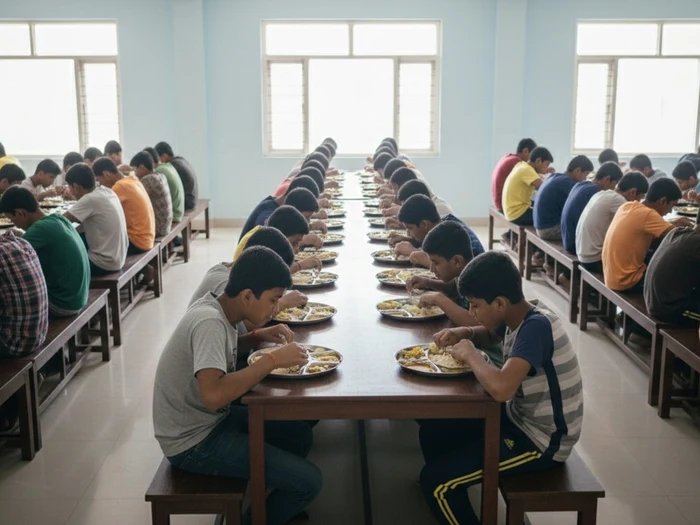
Don't waste portal downtime on frustration. Use it for document preparation.
Bottom Line AISSEE portal crashes every year on critical dates. This is expected. Don't panic.
7 alternative methods: Different browsers/devices, late night/early morning access, Google cache, NTA helpline/email, direct school contact, SMS/app notifications, DigiLocker.
Best method: Try at 4-5 AM or 11 PM-1 AM when traffic is lowest. Portal loads in seconds at these times.
DON'T refresh 500 times — you're making the crash worse.
DON'T believe WhatsApp forwards about hacking or leaked results. All fake.
DON'T pay anyone to "check your result" — scam.
DON'T assume portal down = bad result. It just means server overload.
NTA usually extends deadlines when portal crashes on deadline day. Check NTA main website for extension notices.
Keep your login credentials saved and ready. When portal opens for even 30 seconds — that should be enough if you're prepared.
Prepare everything offline — school research, preference list, documents. Portal is only for submission.
Use portal downtime productively — gather admission documents. Don't waste hours on frustration.
Portal downtime is inconvenience, not disaster — IF you've prepared in advance.
Need help with e-counseling strategy so you're ready the moment portal works? Contact us for personalized guidance.
Want complete AISSEE admission guides and counseling tips? Read our blog for everything parents need to know.